Steps to close the Fiscal year and create a new fiscal year on Business Central
Introduction:
In this blog post, I'll walk you through the steps to close the fiscal year and create a new fiscal year
Pre-requisites:
- Business Central Environment
Solution:
Step1: Accounting Period-Close Year
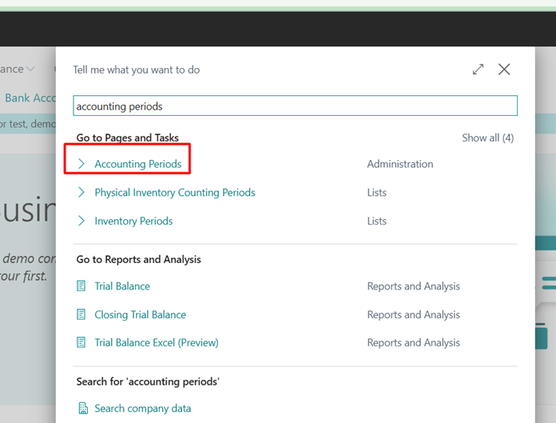
- search for the accounting period on the global search
- On Home tab click on close year action

The confirmation box appears which says once we confirm the fiscal year, we can not reopen the year after it has been closed
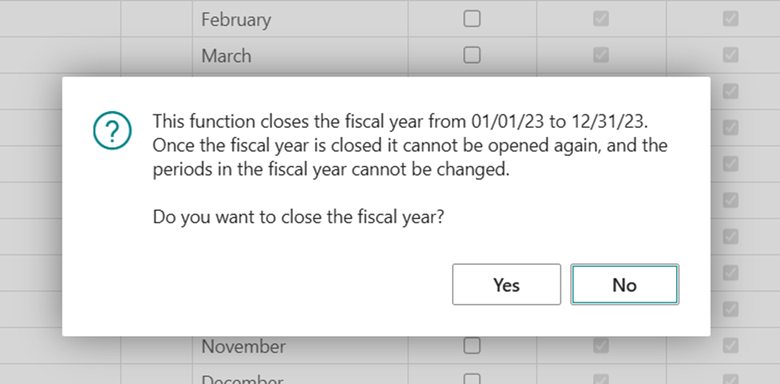
Once you click on Yes, the fiscal year is closed, and the Closed and Date Locked fields values for all the periods in the year are set to true. The fiscal year can't be opened again, and can't remove the check mark from the Closed or Date Locked fields.
Step2 : Close Income statement
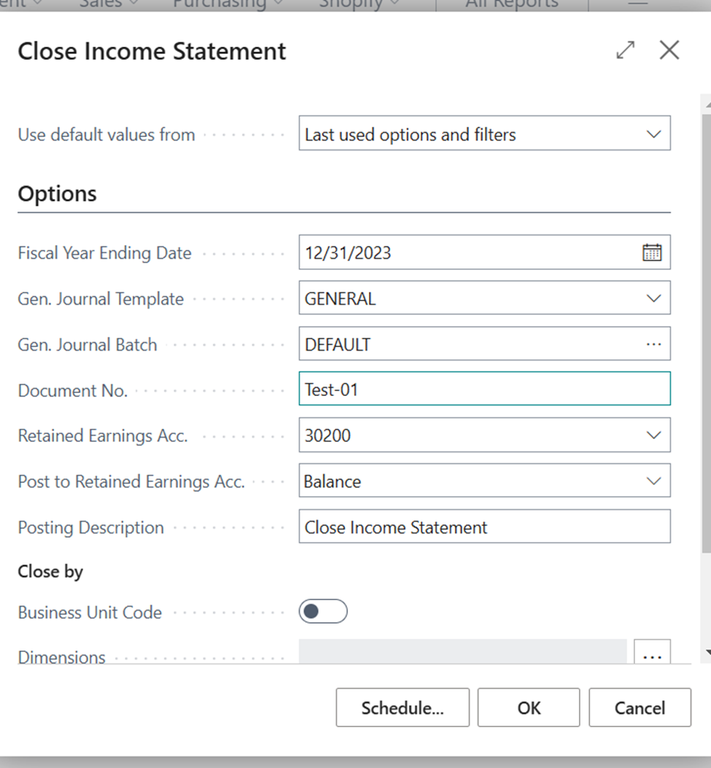
By running a closing income statement, it will generate the year-end closing entries in the general journal. On the request page of the report specify the appropriate values and run the report.
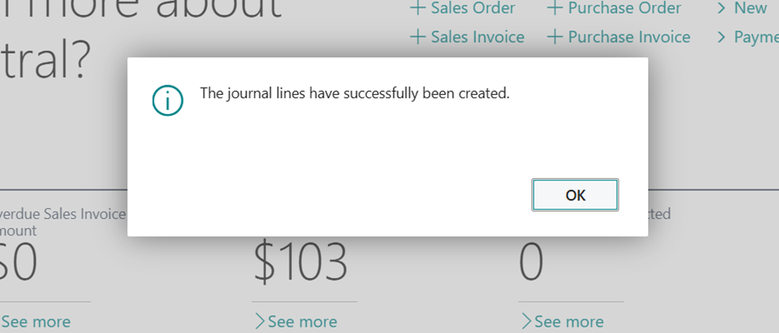
Once the process is complete and a successful message is received, the entries will be created in the general journal, and the posting date will be marked with a 'C' to indicate that they are closing entries.
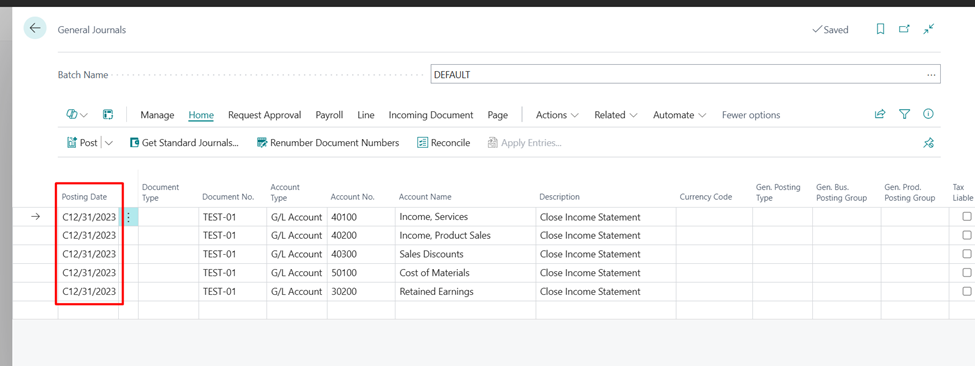
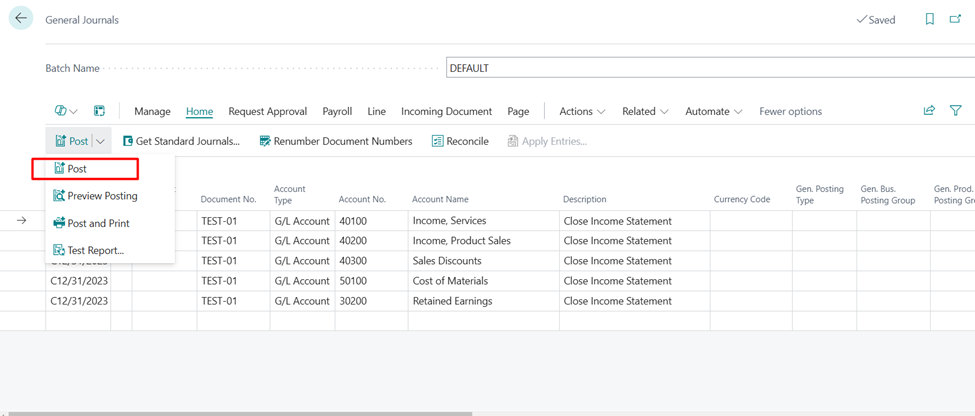
To post the journal, choose the Post action and entries will be posted.
To create a new year in the accounting Period
Step 1: search the accounting period on global search and home tab click on action Create year
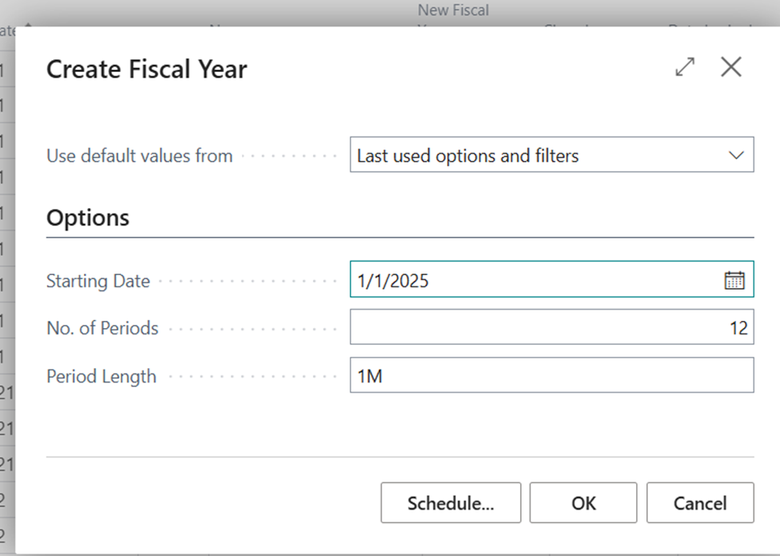
1.Starting date: Enter the starting date for the new fiscal year.
2.No of periods: Indicate how many accounting periods you want to include for the new year.
3.Period Length: Choose the length for each accounting period in the new fiscal year.
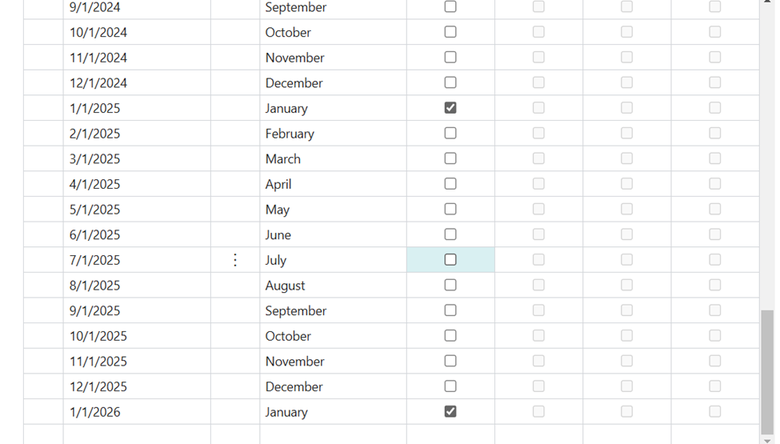
After running the report the new fiscal year entries will be created.
I hope this blog has been helpful to you!


Comments
Post a Comment